![Software Factory Intensive - Two-Day Practical Workshop for Software Engineers [AI Tinkerers - Seattle]](https://sloppy-joe-app.imgix.net/ai_tinkerers/logos/ai_tinkerers_-_seattle_laptop-sticker_190_fddc104a6efe0c48be188cf61ff609e5.png?w=300&fit=max&auto=format%2Ccompress&q=75)




Software Factory Intensive - Two-Day Practical Workshop for Software Engineers
Event Ended
This event has already taken place.


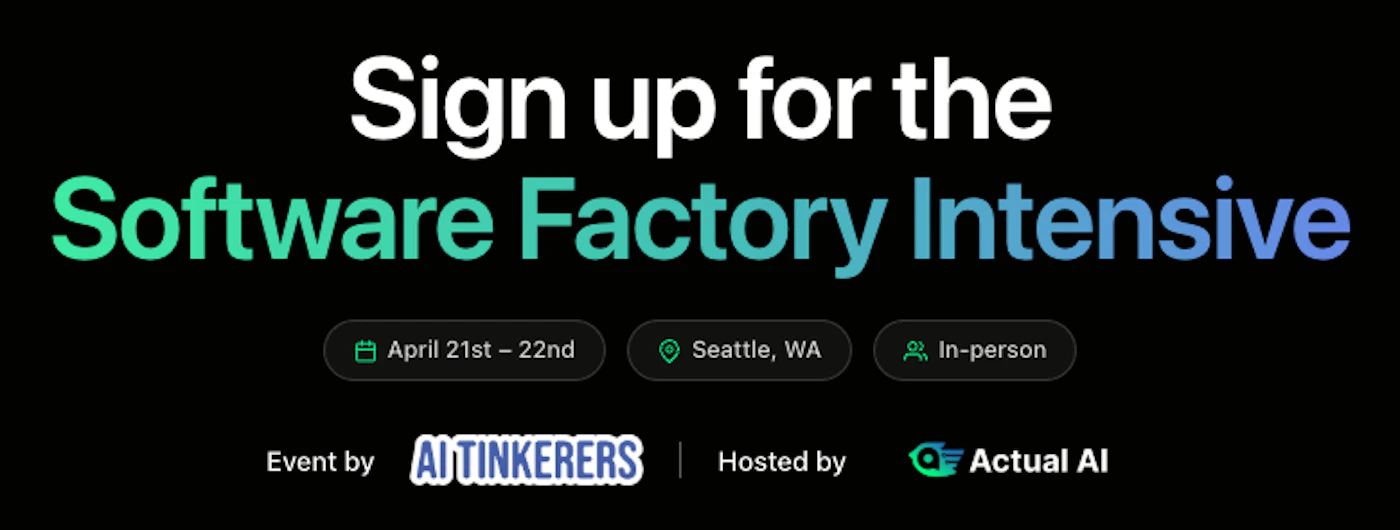
Build an AI-powered open-source Software Factory
Join AI Tinkerers and Actual AI for a hands-on, project-based workshop where you’ll learn how to build an AI-powered software factory, a pipeline of AI agents that can plan, architect, design, code, review, and deploy software around the clock.
This is not a lecture. You’ll bring your own project (or start a new one) and leave with a working system that can generate and improve production-ready software with minimal manual effort.
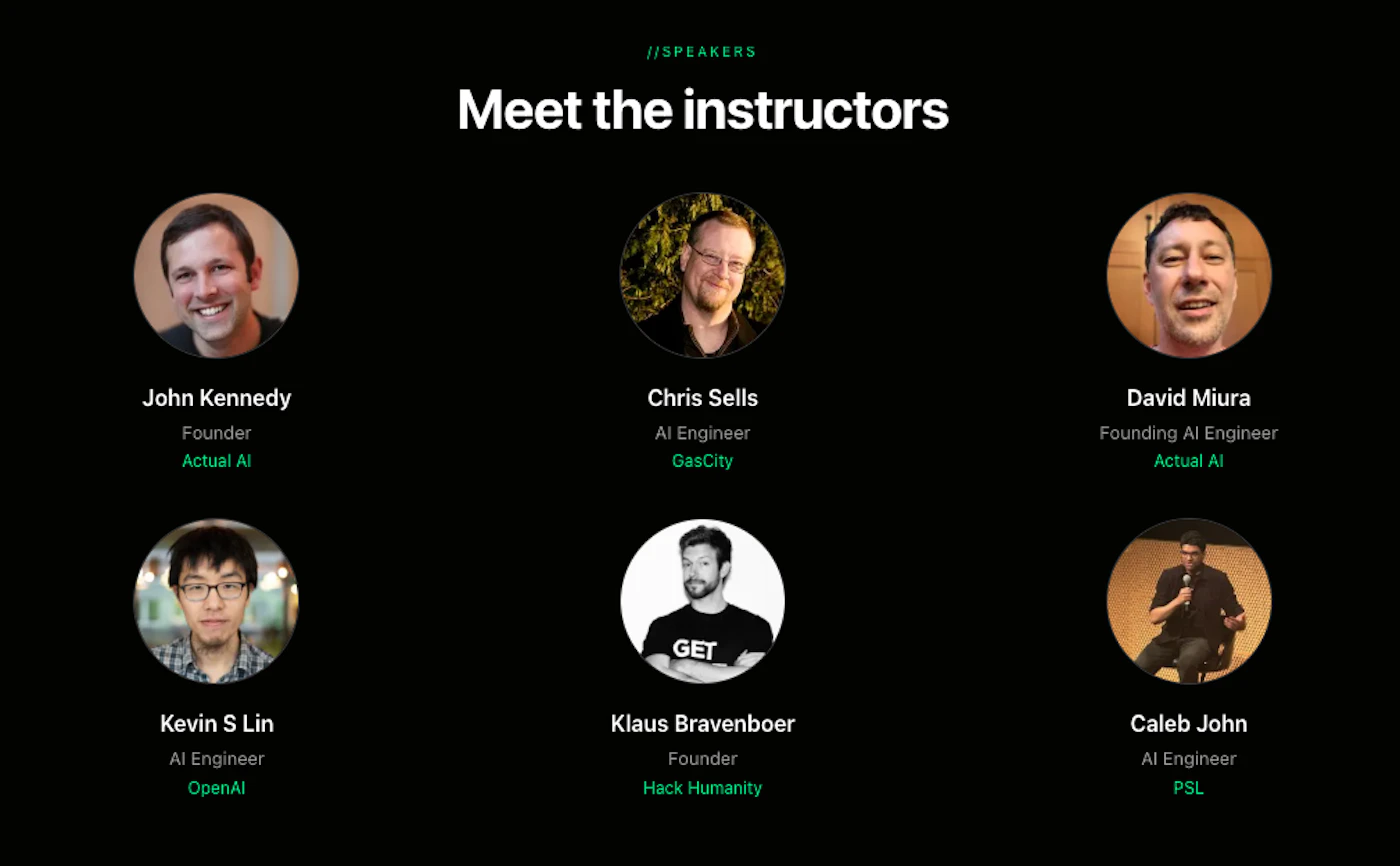
Speakers
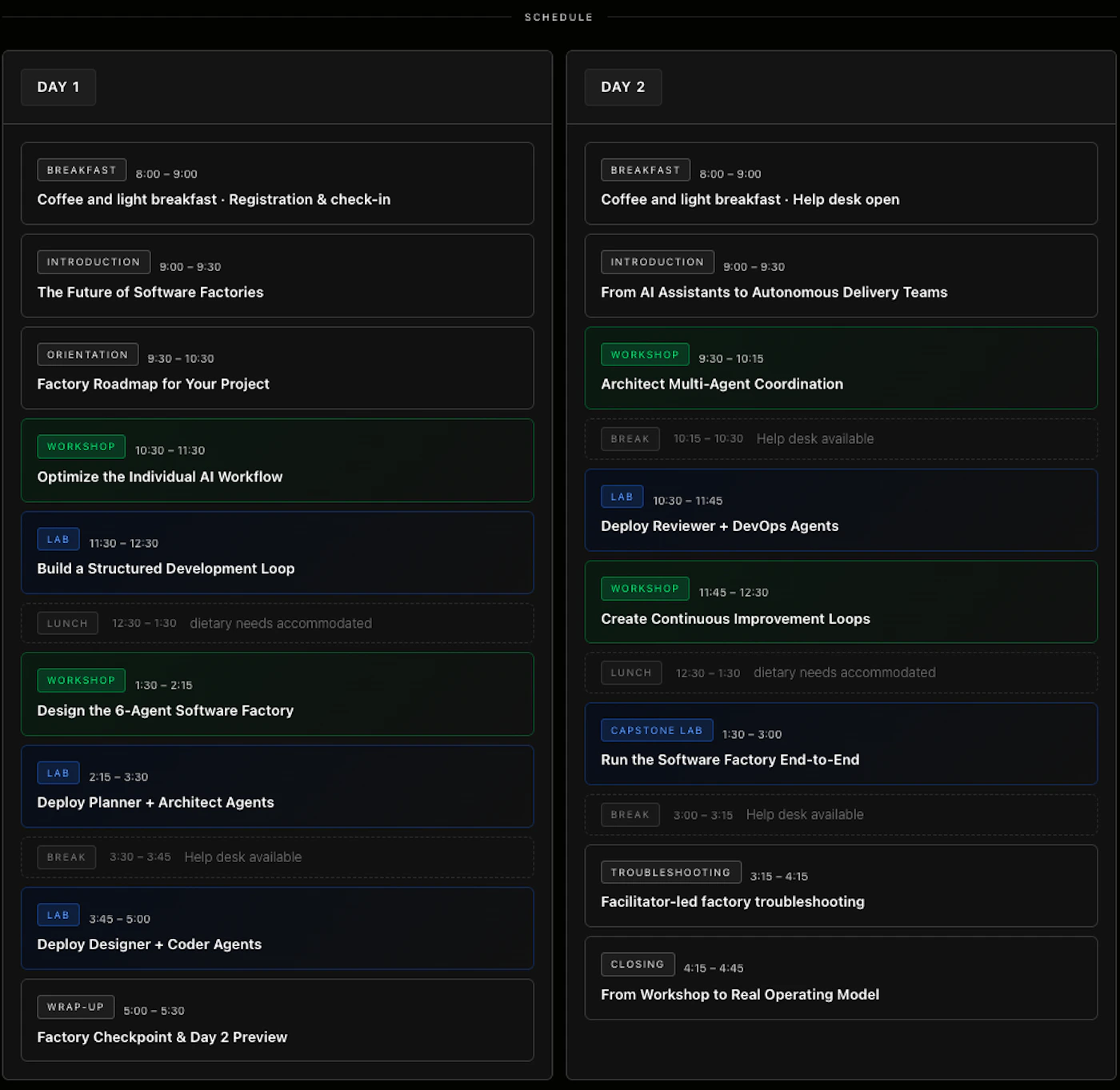
Schedule
What You’ll Learn
Over two days, you’ll go from individual AI-assisted coding to orchestrating a full software factory:
- Optimize your personal AI workflow for speed and accuracy
- Deploy specialized agents for planning, coding, reviewing, and DevOps
- Implement guardrails to ensure consistency and maintainability
- Automate feedback loops to continuously improve your system
What You’ll Build
By the end of the workshop, you’ll have:
- A working software factory tied to your codebase
- A set of metadata repositories including architecture rules and context files to guide code generation
- A workflow where agents can take a feature request → ship production code
- A repeatable process for scaling development with AI
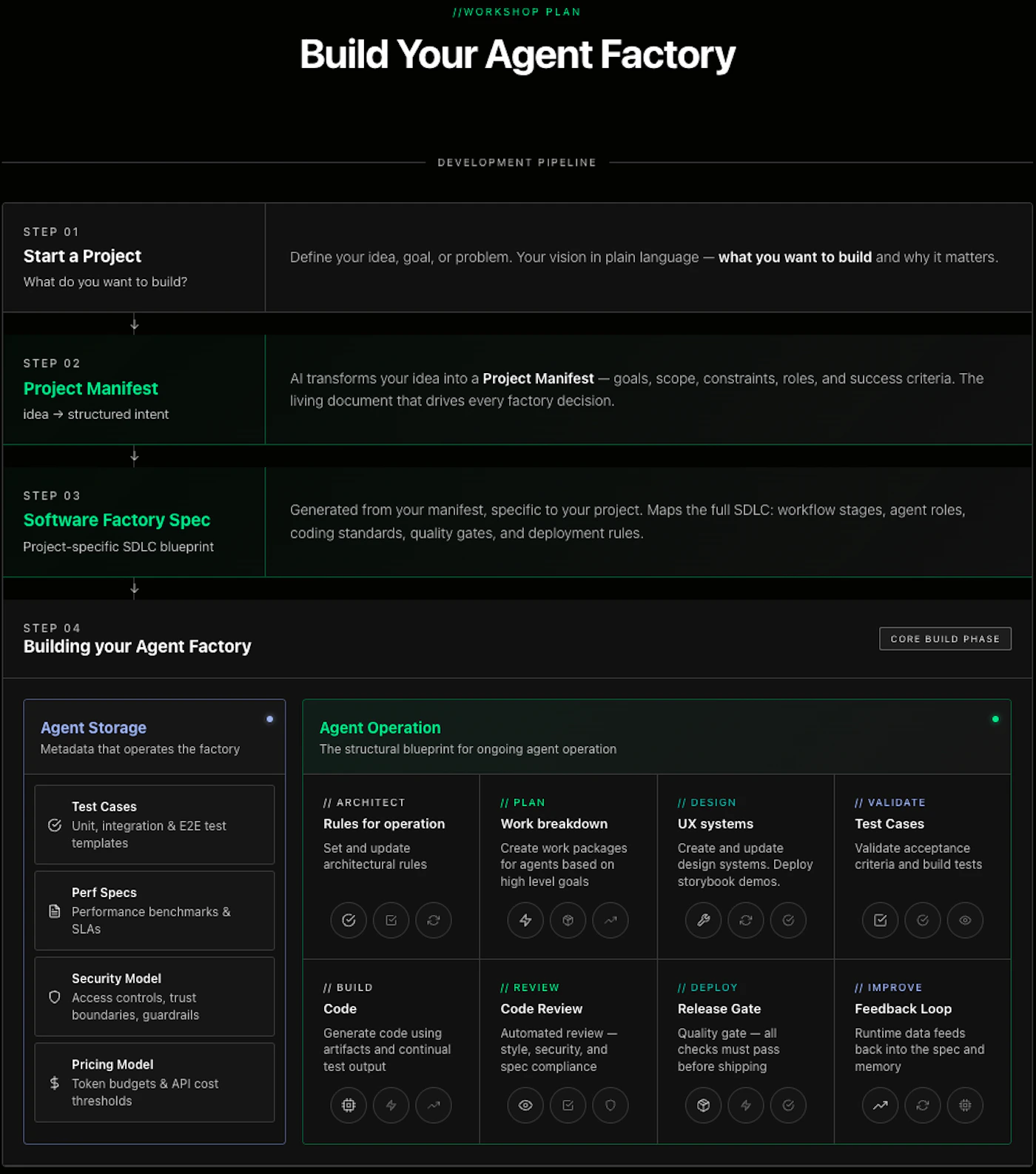
Workshop Plan
Who This Is For
This workshop is designed for:
- Software engineers exploring AI-native development
- Tech leads and architects designing scalable systems
- Engineering teams looking to increase velocity with AI
- Builders who want to go beyond prompting and into process + systems
Format
- 2-day, in-person workshop
- Project-based: build a software factory custom to your own software project
- Guided sessions + hands-on implementation
- Direct support from experienced builders
Prerequisites
- 5+ years of professional software development experience
- A laptop with 16GB+ RAM capable of running Claude Desktop and a local dev environment
- A Claude Code subscription (Max preferred)
- A new software project concept you bring as the first deliverable for your Software Factory
Outcome
You won’t just learn about AI-assisted development-you’ll leave with a system that can build, review, and evolve software continuously.
Tickets
- Regular Admission - $750
- Group Tickets (for teams 5+) - $600
Once you register, you can use this link to pay for the training. Once you have paid, we will accept your registration:
Stripe Payment Link
Secure your spot and start building the future of software development.
Sponsors

FAQ
What will I build?
A production-ready software factory: a pipeline that takes a structured issue as input and executes planning, design, architecture, test generation, code generation, review, and deployment. The system is designed to run continuously and can be triggered programmatically.
What is a software factory (in this context)?
A software factory is a composition of specialized agents, each responsible for a stage in the development lifecycle. Agents communicate via structured artifacts (manifests, specs, tests, code) and operate under shared constraints defined in your factory configuration.
How is the system configured?
You’ll define your system via two generated artifacts: a Project Manifest (describes the product, domain, constraints, and goals) and a Factory Manifest (defines agent behavior, interfaces, and outputs). These are used to generate agent-specific configuration files that control execution across the pipeline.
What parts of the system do I control vs plug in?
You will customize six core agents: Planning, Design, Architecture, Testing, Code Review, and Deployment. For code generation, you can plug in your preferred coding agent (e.g., your existing LLM-based coding tool). This keeps the system flexible and allows you to swap in best-in-class generation models as they evolve.
How is the workshop structured?
Two days split into Workshops (live, guided sessions where an instructor presents from stage and everyone builds in parallel at the same pace) and Labs (hands-on sessions where you work at your own pace with facilitators available to unblock you). You’ll be working directly on your own project throughout.
How does this work for a solo developer vs a team?
The same system applies. For a solo developer, the factory acts as a force multiplier. For teams, it standardizes workflows, enforces architectural consistency, and reduces coordination overhead.
What frameworks or tooling are used?
The workshop is structured around Gas City (successor to Gas Town), along with supporting tooling for agent configuration, context management, and pipeline orchestration. The system is designed to be extensible and not tied to a single vendor.
Do I need to prepare anything beforehand?
Yes. Seven days before the workshop, you’ll receive a structured input form about your project. This is used to generate your initial manifests, so you start with a system already aligned to your codebase and requirements.
What does “continuous improvement” mean in this system?
The factory captures outputs (code quality, test results, review feedback, deployment outcomes) and feeds them back into the system to update prompts, constraints, and agent behavior over time.
How does the open source factory we build compare to tools like Gstack, Aider, OpenDevin, SWE-agent, Devika, OpenClaw, Continue.dev, Gstack, GasTown, Gas City, CrewAI, LangGraph, MetaGPT, etc?
Most of these tools solve a single layer of the problem:
- Coding harnesses (Aider, SWE-agent, Devika, OpenDevin) focus on the edit → run → fix loop
- Execution runtimes (Open Interpreter, OpenClaw, TinyClaw) focus on tool use and environment control
- IDE interfaces (Continue.dev) focus on developer interaction
- Starters / stacks (Gstack) provide opinionated project scaffolding
- Orchestrators / multi-agent frameworks (GasTown, Gas City, AutoGen, CrewAI, LangGraph, MetaGPT) coordinate agents and workflows
The factory you build in this workshop sits one level above all of these.
It is a system that composes them:
- You define the architecture of the pipeline (planning → design → architecture → test → code → review → deploy)
- You encode behavior in manifests and context files (e.g. soul.md)
- You plug in any coding harness or model you want
- You run it as a continuous, end-to-end system, not a single agent loop